


Sociallite -Block Reels&Shorts
4.3190.00 Reviews
App Specs
- Version
- 2.0.0.59
- Updated On
- License
- Free
- Downloads
- 100,000+
- Developer
- Sociallite
- Categories
- Productivity
- Platform
- Android
Screenshots
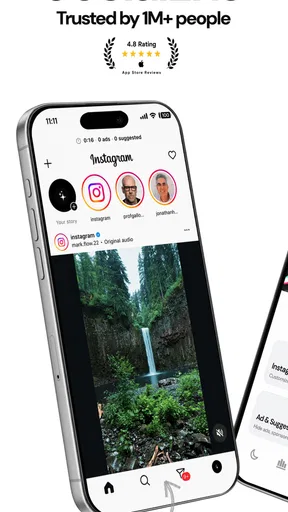
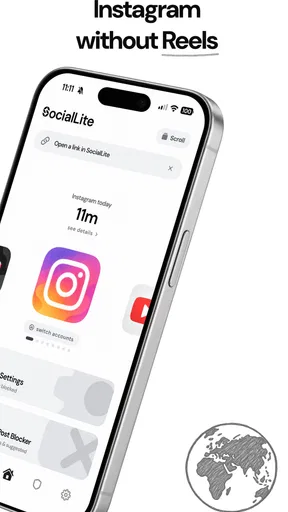
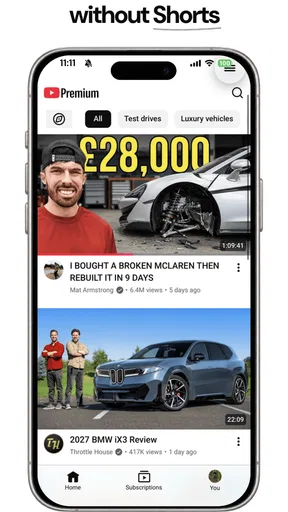
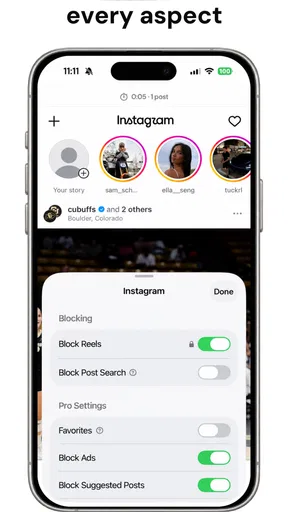
 Analysis by AppCompare
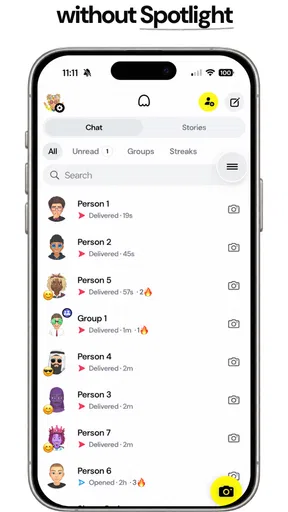
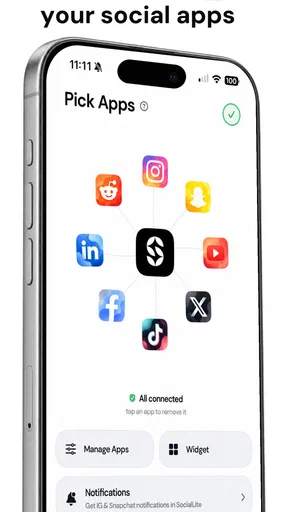
I approached Sociallite as a productivity app rather than another social-media replacement. Its purpose is straightforward: help me keep access to social platforms without letting short videos quietly consume an entire break, evening, or morning. That sounds simple, but the useful question is whether the app gives me practical control at the exact moment I am about to open a feed automatically.
Developed by Sociallite, this free Android app sits in the productivity category and is aimed at people who want a more deliberate relationship with social media. It is available for users aged Everyone, supports Android 8.0 and later, and has reached over one hundred thousand installs. Its current version is 2.0.0.59, and the app holds a 4.2 average from around 4.8 thousand ratings. Those figures suggest that the idea has found a real audience, although they do not remove the need to think carefully about whether its approach matches your habits.
My overall impression is that the app is most valuable as a boundary-setting tool. It is not designed to make social media more entertaining, and it is not a full replacement for every feature inside the services you already use. Instead, it addresses a specific problem: the difference between opening an app for one intentional task and being pulled into an endless stream of short-form content.
What Sociallite is really trying to change
The strongest part of the concept is that it focuses on the transition from intention to habit. I might open a social app to answer a message, check a notification, or look for a particular post. The risk begins when that small task turns into repeated swiping through reels and shorts. Sociallite is built around interrupting that pattern rather than asking me to delete every social account or rely on willpower alone.
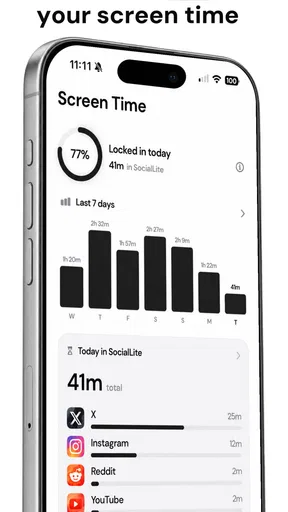
That distinction matters. A conventional screen-time dashboard usually tells me what happened after the fact. It may show that I spent too long inside an app, but the report arrives when the time has already gone. A general focus mode can block an entire application, which is effective but sometimes too blunt. Sociallite makes more sense for the middle ground: I still want access to useful or social functions, but I do not want the most absorbing part of the experience to be available without friction.
In everyday use, I would place it between unrestricted social media and a complete digital detox. That makes it suitable for someone who needs messaging, community updates, or occasional browsing but notices that short videos are the part that repeatedly breaks concentration. It is less suitable for someone who wants a powerful task manager, a detailed habit system, or a universal blocker covering every kind of distraction.
A realistic workday example
Imagine checking a message during a lunch break. Without a boundary, I could answer the message and then continue scrolling because the next clip starts immediately. With a focused setup, the important step is not simply installing the app; it is deciding what access I actually need. I would keep the social account available for communication, then treat the short-video feed as the part that deserves a deliberate stop.
Worth Reading Before You Choose

EA SPORTS FC Mobile 26 Is a Bigger Football Game, but It Takes Time

Flipboard Shows What News Apps Must Do Beyond the Feed

Switching to Android Auto Means Rethinking Your Driving Routine

Google Calendar Makes a Crowded Week Easier to Manage

Ludo King Makes the Most of the Minutes Between Plans

Baby Panda World Brings Quick Play to Modern Phones, but Its Game Library Feels Busy
That workflow is more useful than trying to promise myself that I will stop after one clip. The promise is vague, while a visible barrier or changed access path creates a moment in which I have to choose. Even a small pause can expose the difference between “I need to do something” and “I am following an automatic loop.”
The trade-off is equally clear. If I regularly use short videos for work, research, language learning, or communication, a strict setup could become irritating. The app is not judging whether a particular clip is valuable; it is helping me control a format that is easy to overuse. I would therefore configure it around my actual routine instead of assuming that every short video is wasted time.
Trust starts with visible choices
Because an app that changes how I access social media sits close to personal habits and account behavior, trust matters more here than it does with a simple calculator or offline note tool. I want to know what I am enabling, what I can change later, and whether the app leaves me with a clear decision rather than a confusing setup. My review standard is therefore practical: I look for understandable controls, deliberate choices, and a workflow that does not pressure me into surrendering more access than necessary.
Sociallite’s appeal is strongest when I treat it as a user-controlled layer around a specific problem. The app’s name and purpose make the intended direction clear, but I would still read each permission and setup prompt carefully on my own device. A responsible installation habit is to inspect what Android asks me to approve, consider whether each request matches the feature I want, and avoid activating anything that feels unrelated to that goal.
This is especially important because blocking or limiting social content may require the app to interact with other applications or with Android’s control mechanisms. I would not treat that interaction as automatically good or bad. I would treat it as a moment for attention: read the explanation, understand what the control affects, and check whether it can be disabled later. The best setup is one I can explain in plain language to myself.
I also prefer to begin with the narrowest useful configuration. If my real problem is reels and shorts, I would not immediately apply an aggressive restriction to every social function. Starting narrowly makes it easier to see whether the app solves the actual issue, and it reduces the chance of blocking something I need for family, work, or accessibility reasons.
Account control and personal responsibility
Sociallite should not be confused with an account-management service. I would continue to treat my social accounts, passwords, recovery details, and platform settings as separate responsibilities. The app may help shape how I reach content, but it does not replace the security controls offered by the social networks themselves.
That separation is useful. If I decide to stop using the app, I should think of the change as removing a layer of access control, not as deleting my social presence. Before changing settings, I would note how I normally sign in and make sure I know how to return to the original arrangement. This is a small precaution, but it prevents a productivity experiment from becoming an account-access problem.
I would also avoid treating a blocker as proof that my digital habits are fixed. A restriction can interrupt an automatic action, but it cannot decide why I am reaching for the phone. If I am tired, avoiding a difficult task, or looking for a quick emotional lift, I may simply search for another distraction. Sociallite works best when I pair it with a concrete replacement, such as a short walk, a saved reading list, or a timer for the task I was postponing.
How the app feels beside familiar alternatives
The usual alternatives fall into three broad groups. The first is self-discipline: close the feed, mute notifications, or promise to stop. This costs nothing, but it depends on making a good decision at the exact moment a highly engaging feed is asking for another swipe. I find that approach weakest when I am tired or already distracted.
The second group is Android’s broader digital-wellbeing and focus controls. These can be useful when I need to limit an entire application or set a general schedule. Their advantage is breadth and system-level familiarity. Their disadvantage is that they may be too coarse for someone who wants messaging or occasional social access while specifically reducing short-form consumption.
The third group is deleting or logging out of the social app. That is the cleanest option for people who want a firm break, but it can be inconvenient when the platform is part of work, family communication, or a community. Sociallite occupies a more selective position. Its value depends on whether its controls are specific enough for my problem without creating too much daily friction.
This comparison also reveals when I would choose something else. If I need a detailed schedule across many distracting apps, I would look toward a broader focus solution. If I want to eliminate social media entirely for a period, uninstalling or logging out may be clearer. If I mainly need reminders, task lists, or calendar planning, this app is the wrong category altogether. Its strength is not general productivity; it is targeted resistance to a particular social-media habit.
Three practical ways I would use it
First, I would use it during focused work blocks. Rather than blocking every social function all day, I would create a boundary around the hours when I write, study, or handle administrative work. The useful insight is to protect the transition points: the first few minutes after starting a task and the moment I feel tempted to take a “quick” break. Those are often more important than imposing a severe rule from morning to night.
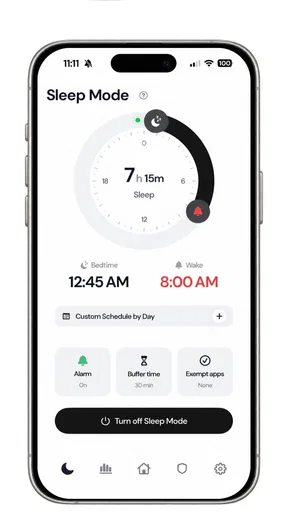
Second, I would use it as a bedtime buffer. Many people do not intend to watch short clips late at night; they simply open one service and continue because there is no natural stopping point. A restriction near bedtime can make the phone less rewarding without requiring me to abandon every device function. I would still keep a separate alarm and avoid assuming that an app-based boundary is a substitute for a consistent sleep routine.
Third, I would use it for intentional check-ins. Before opening social media, I would name the task: reply to a person, find a specific update, or check one community. If the app interrupts the route toward endless clips, that interruption becomes a prompt to finish the original task and leave. This is more effective than measuring success only by total minutes, because it connects the control to a concrete purpose.
A less obvious trade-off is that selective access can require more thought than simply uninstalling an app. I have to decide which behavior I am changing, when the rule should apply, and what counts as an acceptable exception. That setup effort is not a flaw by itself, but it means the app rewards users who are willing to configure their boundaries rather than expecting an automatic cure.
Data-sensitive moments deserve attention
An app that influences access to other apps naturally brings sensitive moments into the experience. The important question for me is not whether the concept sounds helpful, but whether I can understand the relationship between the control I choose and the access Android requests. I would examine permission prompts, accessibility-related explanations if they appear, notification choices, and any sign-in request before proceeding.
I would also look for clear choices around notifications. A productivity tool can become counterproductive if it adds frequent reminders that make me think about the very feeds I am trying to avoid. My preference would be the smallest notification setup that still makes the restriction understandable. If a message explains why access changed, that is useful; repeated nudges without a clear action would be less welcome.
Another sensitive point is shared-device use. If someone else uses my phone, a restriction may look like a broken social app or an unexplained change in behavior. I would explain the setup to anyone who needs regular access, especially if the device is used by family members. A private productivity decision should not unexpectedly interfere with another person’s legitimate use of the phone.
The same caution applies to work accounts and managed devices. If my employer controls parts of the phone, I would check whether installing a tool that affects application access fits the organization’s rules. Sociallite may be perfectly reasonable on a personal device while being inappropriate on a managed one. That is not a criticism of the app; it is a reminder that control layers can conflict.
What the price means for the decision
The app is free to install, which makes testing the basic experience relatively accessible. It also includes in-app purchases ranging from $3.99 to $119.99 per item. Because those purchases cover a wide range, I would not assume that every useful control requires payment, nor would I assume that the free version includes everything I want. I would inspect the purchase screen before committing and check exactly what a selected item changes.
That price range makes a calm trial especially important. I would first use the free experience long enough to learn whether the interruption helps during my most vulnerable moments. If the app becomes part of my routine, I would compare the cost of an upgrade with free system tools and with the value of recovering time. I would not pay simply because a restriction feels difficult; difficulty can be evidence that the boundary matters, but it can also mean the setup is too disruptive.
I would also keep purchase control in mind if the phone is shared. A free app with optional purchases can still create confusion when multiple people use the same device or payment account. Checking confirmation settings and explaining the arrangement to family members is a sensible part of responsible use.
Who will benefit, and who should skip it
I can recommend Sociallite to someone who repeatedly opens social media for a legitimate reason and then loses time to reels or shorts. It is particularly relevant when deleting the platform is unrealistic, when broad app timers feel excessive, or when a person wants a visible pause between intention and automatic scrolling. Students, remote workers, and people trying to protect evening routines may find that targeted approach more practical than a total ban.
I would be more cautious with users whose work depends on short-form content. A creator, community manager, journalist, or researcher may need to inspect videos frequently and may find selective blocking too disruptive. The same applies to anyone who relies on social apps for urgent communication and cannot risk a rule that hides or delays an important route. In those cases, a carefully scheduled system focus mode, notification strategy, or separate work device may be better.
I would also skip it if my main problem is not short-form video. If I spend hours in shopping apps, games, news feeds, or messaging conversations, this specific approach may leave the largest source of distraction untouched. A broader digital-wellbeing plan would make more sense, possibly combined with environmental changes such as moving distracting apps away from the home screen.
People who dislike configuring behavior tools should think twice as well. The app’s benefit comes from making a boundary fit my routine. If I install it without deciding when and why I need protection, I may experience it as an obstacle rather than a useful guardrail. The right question is not “Can this stop me from scrolling forever?” but “Where would a small, predictable interruption help me regain a choice?”
My cautious verdict after weighing control and friction
Sociallite is a focused productivity app with a sensible target: reducing the automatic pull of short-form social feeds without forcing every user to abandon social media completely. I like that middle position. It recognizes that the same platform can contain both useful communication and an endless stream designed to keep attention moving.
Its trustworthiness, in my view, depends on how carefully I set it up. I would read every permission explanation, keep account security separate, choose the least intrusive rule that solves my problem, and review any paid option before purchasing. Those habits are not optional decoration; they are what make a control app feel like something I am using intentionally rather than something controlling my phone for me.
The app also has real limits. It cannot decide which content is meaningful to me, cannot replace broader focus tools, and cannot solve distraction that simply moves elsewhere. Its selective approach may be exactly what a social-media user needs, but it may frustrate people who want a universal blocker or a hands-off solution.
For my own recommendation, I would start with one clearly defined situation, such as work sessions or the hour before bed. I would observe whether the interruption helps me return to my original intention, then adjust the setup rather than immediately making it stricter. With that measured approach, Sociallite is worth trying for anyone who wants to keep social access while taking back control of the most compulsive part of the experience.
Pros
- Blocks distracting Reels and Shorts across supported social platforms.
- Simple setup with controls that are easy to enable or disable.
- Can help reduce screen time without uninstalling social media apps.
- Lightweight design with minimal impact on everyday phone performance.
- Useful for studying
- working
- or creating a more focused routine.
Cons
- Compatibility may vary between Android and iOS versions.
- Some blocked content may still appear after app or platform updates.
- Requires permissions that privacy-conscious users may find intrusive.
- Advanced blocking features may be limited or require a paid plan.
- Not ideal for users who occasionally rely on short videos for news or tutorials.
FAQs for Sociallite -Block Reels&Shorts
What is Sociallite - Block Reels&Shorts?
Sociallite - Block Reels&Shorts is an app designed to provide a more focused social media experience by reducing or blocking short-form video content such as Reels and Shorts. It may be useful for people who want to browse social platforms with fewer distractions, spend less time scrolling, and concentrate on messages, posts, or other content instead of endless video recommendations.
How does Sociallite - Block Reels&Shorts block short videos?
The app generally works by filtering or hiding selected short-video sections within supported social media services. Depending on the device and app version, it may require accessibility access, display-over-other-apps permission, or another system setting to recognize and conceal distracting elements. Results can vary after social media updates, so some sections may occasionally appear until the blocker is updated.
Is Sociallite - Block Reels&Shorts compatible with every social media app?
Compatibility is not necessarily universal. Sociallite - Block Reels&Shorts is intended to work with specific supported applications and versions, while other platforms may not be recognized or may offer only partial blocking. Before downloading, check the app’s current store description, supported services, Android or iOS requirements, and recent user feedback to confirm that the platforms you use are covered.
Does Sociallite - Block Reels&Shorts collect personal data or require special permissions?
Because a blocking tool must identify content displayed by other applications, it may request permissions that are more extensive than those required by ordinary apps. Review the permission list and privacy policy carefully before enabling the service. In particular, understand whether accessibility data is processed locally, stored, or shared, and install the app only from a trusted official source.
Can Sociallite - Block Reels&Shorts completely stop me from watching Reels and Shorts?
The app can help remove or limit access to short-form video areas, but it should not be treated as an unbreakable parental-control or screen-time solution. You may still be able to open videos through links, searches, notifications, or unsupported versions of an app. For the best results, combine it with built-in screen-time controls, notification settings, and personal usage limits.


